4 Best AI Style Transfer Apps for Creative Photos
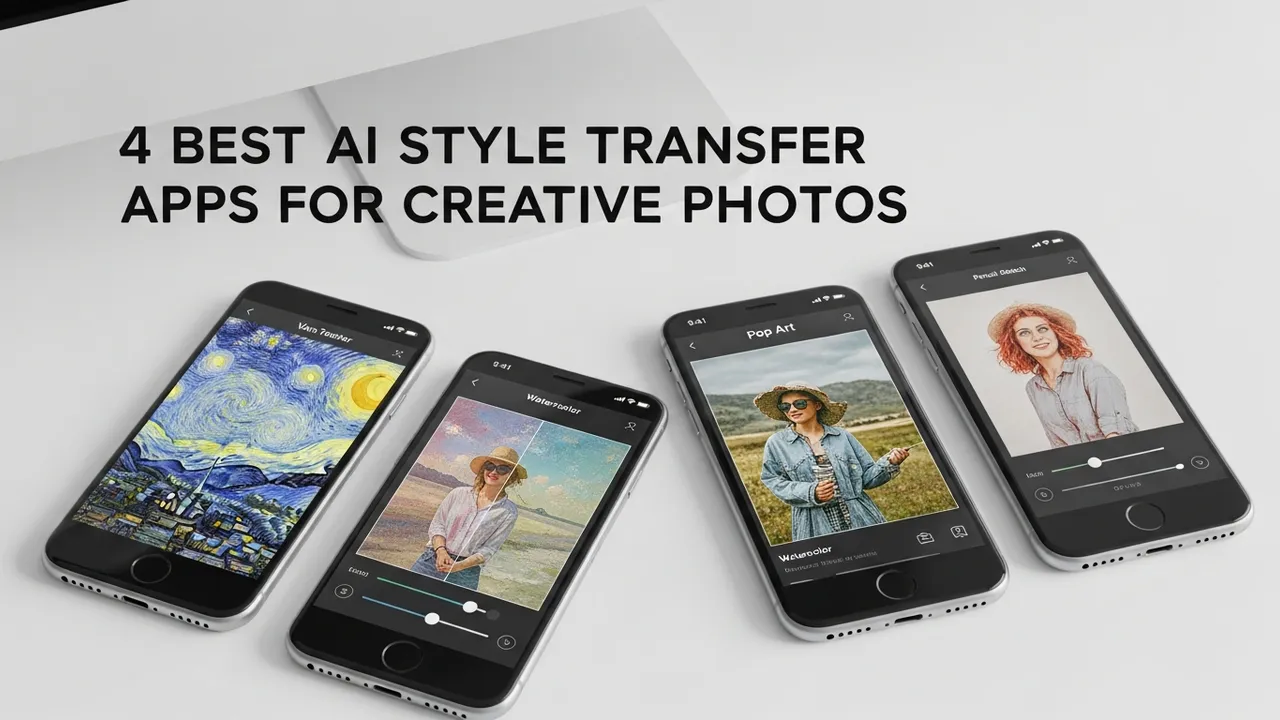
Transform your photos into art with the 4 best AI style transfer apps. Compare artistic filters and customization options for unique results.
Transform your photos into art with the 4 best AI style transfer apps. Compare artistic filters and customization options for unique results.
4 Best AI Style Transfer Apps for Creative Photos
Have you ever looked at a standard smartphone snapshot and wished it looked like a Van Gogh painting or a gritty cyberpunk concept art piece? We have all been there. The good news is that you no longer need a degree in fine arts or hours of training in complex software like Photoshop to achieve these results. AI style transfer technology has democratized digital art, allowing anyone with a smartphone to turn mundane photos into breathtaking masterpieces in seconds.
Understanding AI Style Transfer Technology
At its core, AI style transfer uses deep learning algorithms—specifically Convolutional Neural Networks (CNNs)—to separate the content of an image from its style. The AI analyzes the texture, color palette, and brushstroke patterns of a reference image (the style) and applies those characteristics to your original photo (the content). This process preserves the structure of your subject while completely reimagining the aesthetic. Whether you are a social media influencer looking to curate a unique feed or just someone who loves experimenting with visuals, these tools are game-changers.
Prisma Photo Editor The Pioneer of Artistic Filters
Prisma remains the gold standard for many users. It was the app that truly brought style transfer to the masses. Unlike simple filters that just overlay a color tint, Prisma processes your photo on a server to reconstruct it entirely based on the chosen artistic style. It offers hundreds of styles ranging from classic oil paintings to modern graphic design patterns.
Use Case: Perfect for turning portraits or landscape shots into high-quality digital art that looks like it was painted by hand.
Pricing: Free to use with a premium subscription (Prisma Premium) available for around $4.99/month, which unlocks unlimited high-resolution exports and exclusive styles.
DeepArt Effects Advanced Neural Network Processing
If you want more control over the intensity of the style transfer, DeepArt Effects is your go-to. This app allows you to adjust the strength of the effect, meaning you can choose to keep some of the original photo's realism while blending in the artistic flair. It is incredibly popular among professional digital artists who need a starting point for their creative projects.
Use Case: Ideal for artists who want to create custom textures or backgrounds for graphic design projects.
Pricing: Offers a free version with watermarks. Pro plans start at $9.99 for a one-time purchase or various subscription tiers for cloud processing.
Artisto Video and Photo Style Transformation
Artisto is unique because it handles both photos and short-form videos with equal ease. If you are a TikTok or Instagram Reels creator, this is a must-have. It applies complex neural styles to your footage, making your videos look like animated films or abstract art pieces. The processing speed is surprisingly fast, which is a huge plus for mobile creators on the go.
Use Case: Best for social media content creators who want to add a cinematic or artistic edge to their video clips.
Pricing: Freemium model with in-app purchases for premium filters and ad-free usage.
Picsart AI Photo Editor The All In One Creative Suite
Picsart is more than just a style transfer app; it is a full-blown creative suite. Its AI Style Transfer tool is integrated into a massive ecosystem of editing features. You can apply a style, then layer it with stickers, text, and double exposures. It is the most versatile option on this list, giving you the freedom to manipulate the style transfer result further.
Use Case: Perfect for users who want to do more than just apply a filter—those who want to build a complete graphic design composition.
Pricing: Free with ads. Picsart Gold costs approximately $5.00/month and provides access to a massive library of premium assets and advanced AI tools.
Comparing Features and Choosing Your Tool
When deciding which app to download, consider your primary goal. If you want simplicity and high-quality artistic results, Prisma is unbeatable. If you need professional-grade control over the neural network intensity, go with DeepArt Effects. For video creators, Artisto is the clear winner, and for those who want a comprehensive design toolkit, Picsart is the obvious choice. Most of these apps offer free trials or limited free versions, so I highly recommend downloading two or three to see which interface feels most intuitive for your specific creative workflow. You will be surprised at how quickly you can turn a boring lunch photo into a gallery-worthy piece of art.
:max_bytes(150000):strip_icc()/277019-baked-pork-chops-with-cream-of-mushroom-soup-DDMFS-beauty-4x3-BG-7505-5762b731cf30447d9cbbbbbf387beafa.jpg)