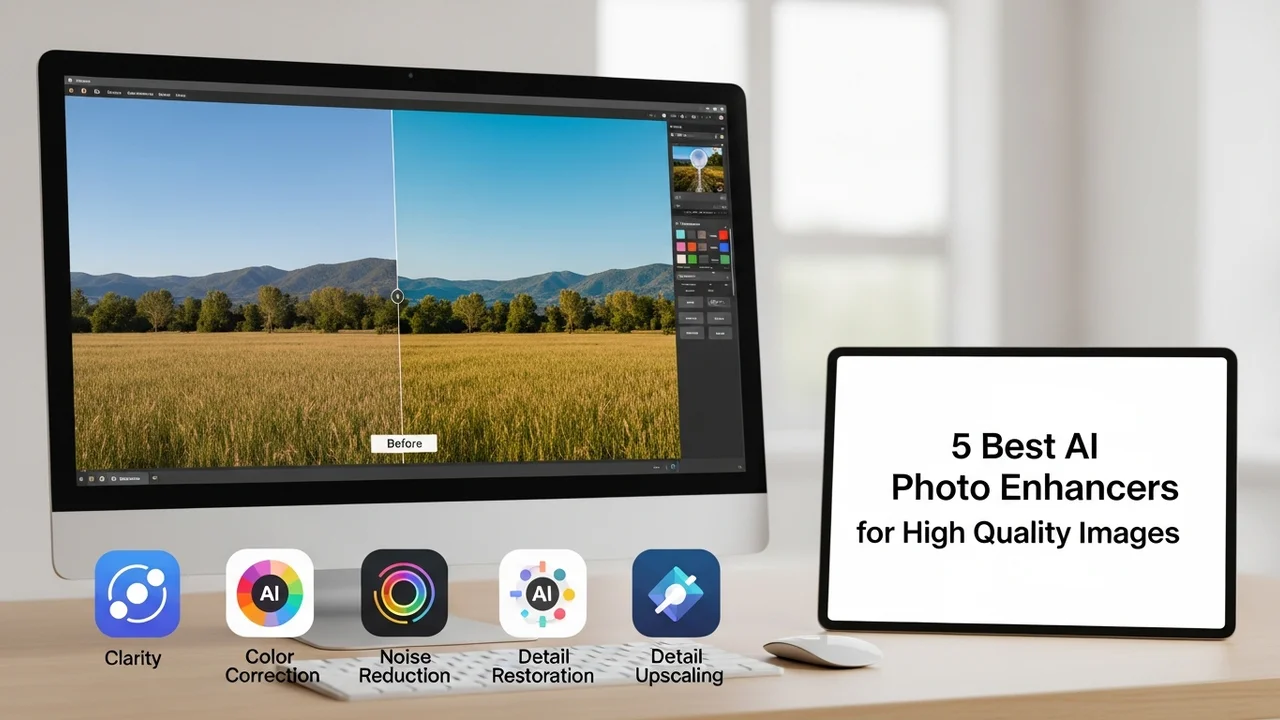
5 Best AI Photo Enhancers for High Quality Images
Restore old photos or improve quality with the 5 best AI photo enhancers. Compare upscaling capabilities and noise reduction features.
5 Best AI Photo Enhancers for High Quality Images
Restore old photos or improve quality with the 5 best AI photo enhancers. Compare upscaling capabilities and noise reduction features.
We have all been there. You find a beautiful old family photo, or you snap a quick shot on your phone in low light, only to realize it is blurry, grainy, or just plain low-resolution. In the past, fixing these issues required hours of tedious work in professional software like Photoshop. But today, AI has changed the game entirely. With just a few clicks, you can turn a pixelated mess into a crisp, high-definition masterpiece. If you are looking to breathe new life into your digital library, you are in the right place.
Understanding AI Image Upscaling and Noise Reduction Technology
Before we dive into the specific tools, let us talk about how this magic actually works. AI photo enhancers use deep learning algorithms to analyze the pixels in your image. They do not just stretch the image; they actually 'hallucinate' or reconstruct missing details based on patterns they have learned from millions of other high-quality images. This is called upscaling. Simultaneously, these tools perform noise reduction, which is the process of removing that ugly graininess you see in photos taken in dark environments. By combining these two technologies, AI can take a tiny, blurry thumbnail and turn it into a print-ready image.
Top 5 AI Photo Enhancers for Professional and Personal Use
After testing dozens of tools, I have narrowed it down to the five best options currently on the market. Each of these serves a slightly different purpose, so let us break them down.
1. Topaz Photo AI
If you are serious about photography, Topaz is the gold standard. It is not just an enhancer; it is a full suite that handles sharpening, noise reduction, and upscaling all at once. It is incredibly smart at detecting faces and eyes, ensuring that portraits look natural rather than plastic. It is perfect for photographers who need to rescue shots that were slightly out of focus or taken at high ISOs. It is a desktop application, so it is powerful but requires a decent computer. It costs around $199 for a perpetual license, which is a solid investment for professionals.
2. Remini
You have probably seen Remini all over social media. It is the go-to app for mobile users who want instant results. It is particularly famous for its ability to take old, blurry, or damaged photos and make them look like they were taken with a modern smartphone. It is incredibly easy to use—you just upload the photo, and the AI does the rest. It is great for casual users, but it can sometimes be a bit aggressive, making faces look a little too smooth. It operates on a subscription model, usually around $5 to $10 per month, making it very accessible.
3. VanceAI
VanceAI is a web-based powerhouse. If you do not want to install software, this is your best bet. It offers a wide range of tools, including an AI image upscaler, a denoiser, and even a background remover. It is fantastic for e-commerce sellers who need to quickly clean up product photos. The interface is clean and intuitive. They use a credit-based system, which is great if you only need to enhance a few photos here and there, with packages starting as low as $9.99.
4. Gigapixel AI
Also from the Topaz Labs family, Gigapixel AI is specifically designed for one thing: upscaling. If you have a small image that you need to print on a large canvas, this is the tool you want. It can increase the resolution of an image by up to 600% without losing quality. It is a favorite among digital artists and print-on-demand creators. It is a standalone desktop app and costs $99. It is a bit more specialized than the full Photo AI suite, but it does its one job better than anything else out there.
5. Let's Enhance
Let's Enhance is another excellent web-based tool that focuses on high-quality upscaling. It is particularly good at preserving textures, which is a common problem with other AI tools that tend to smooth everything out. It is perfect for graphic designers who need to upscale logos or illustrations. They offer a free trial so you can test it out, and their paid plans start at $9 per month for a set number of credits. It is a very reliable, no-nonsense tool that gets the job done quickly.
Comparing Features and Choosing the Right Tool for Your Needs
So, how do you choose? If you are a professional photographer, go with Topaz Photo AI. It gives you the most control and the best results for complex images. If you are just trying to fix up some old family photos on your phone, Remini is the easiest and most fun to use. For e-commerce or quick web tasks, VanceAI or Let's Enhance are your best friends because they are fast and browser-based. And if you are a print artist, Gigapixel AI is non-negotiable. Think about your workflow—do you need a desktop app that works offline, or do you prefer a cloud-based solution that you can access from anywhere? That is usually the deciding factor for most people.
Real World Use Cases for AI Photo Enhancement
The applications for these tools are endless. Think about the old photos in your attic—those physical prints that are fading and cracking. You can scan them and use these tools to restore them to their former glory. Or consider your social media presence. If you are an influencer or a small business owner, high-quality visuals are everything. These tools allow you to take a quick, imperfect shot and make it look like it was taken in a professional studio. Even for real estate agents, these tools can brighten up dark interior shots and make them look much more inviting to potential buyers. It is all about making your visual content work harder for you.
Final Thoughts on Integrating AI into Your Creative Workflow
The beauty of these tools is that they are constantly getting better. Every few months, the algorithms are updated, and the results become even more realistic. We are moving toward a world where 'bad' photos are becoming a thing of the past. Whether you are a professional or just someone who wants their memories to look a little sharper, there is no reason not to take advantage of this technology. It is affordable, it is fast, and it is incredibly effective. Just pick one, upload a photo, and see the difference for yourself. You will be surprised at what is hiding in those blurry pixels.
:max_bytes(150000):strip_icc()/277019-baked-pork-chops-with-cream-of-mushroom-soup-DDMFS-beauty-4x3-BG-7505-5762b731cf30447d9cbbbbbf387beafa.jpg)